
Download BigMind Pro – Free Mind‑Mapping Software for Windows, Mac, Android & iOS
Overview
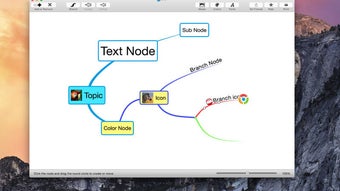
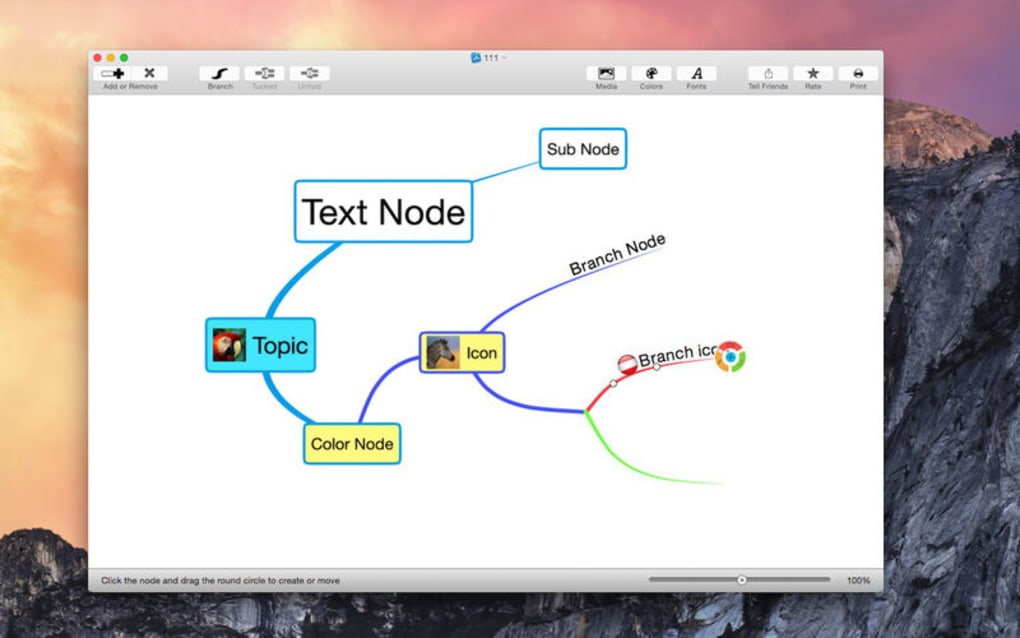
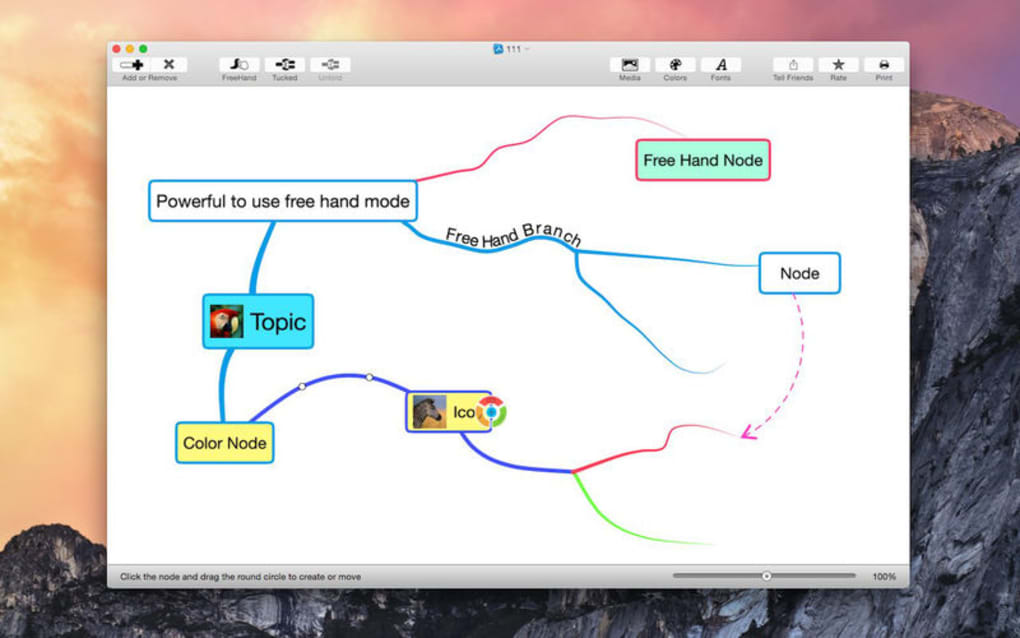
BigMind Pro is a powerful yet intuitive mind‑mapping and idea‑visualization program that transforms a blank canvas into a dynamic workspace for brainstorming, planning, and presenting concepts. When you launch the app, you are greeted by a clean white area where you can add text nodes, boxes, and connectors with a simple drag‑and‑drop motion. Each element can be customized with colors, line styles, and fonts, allowing you to create a visual hierarchy that mirrors the way you think.
Whether you are a student outlining a research paper, a project manager sketching a workflow, or a creative professional designing a story board, BigMind Pro offers the flexibility to capture thoughts quickly and organize them later into polished mind maps. The tool supports unlimited nodes, multi‑layer linking, and instant editing, so you never have to stop the creative flow. Once your map is complete, you can export it as a high‑resolution image, PDF, or proprietary file for future editing, and you can print it directly from the app.
Security is built into the software; all files are saved locally on your device, and optional cloud sync ensures you can access your maps from any platform without compromising privacy. BigMind Pro is free to download, regularly updated with bug fixes and new visual assets, and designed to run smoothly on Windows, macOS, Android, and iOS. Its lightweight architecture means it starts instantly, even on older hardware, making it a reliable companion for daily brainstorming sessions.
Key Features & Installation Guide
Feature List
- Unlimited canvas size for sprawling mind maps.
- Drag‑and‑drop node creation with instant text editing.
- Customizable colors, shapes, and line styles for visual emphasis.
- Multi‑directional linking to create complex relationship diagrams.
- One‑click export to PNG, JPEG, PDF, and native .bmind formats.
- Built‑in printing support with adjustable page margins.
- Cross‑platform sync via optional cloud service (Google Drive, Dropbox).
- Keyboard shortcuts for fast navigation and node manipulation.
- Auto‑save and version history to revert to earlier map states.
- Dark mode for low‑light environments and reduced eye strain.
Step‑by‑Step Installation & First Use
Downloading and installing BigMind Pro is straightforward. Follow these steps to get started on any supported device:
- Visit the official download page. Click the “Download for Windows”, “Download for macOS”, “Download for Android”, or “Download for iOS” button that matches your operating system.
- Run the installer. On Windows, double‑click the .exe file; on macOS, open the .dmg and drag the app to your Applications folder. Mobile users will be redirected to the Google Play Store or Apple App Store.
- Grant permissions. The first launch may request permission to access storage for saving maps. Approve these prompts to ensure smooth operation.
- Create your first canvas. Click the “New Map” button on the home screen. A blank white area appears, ready for node placement.
- Add nodes. Right‑click (or tap‑and‑hold on mobile) to insert a text box. Type your idea, then press Enter to create a new linked node.
- Customize visuals. Use the side toolbar to change node colors, line thickness, and background shading. Experiment with different styles to highlight priority items.
- Link nodes. Drag a line from one node’s edge to another to establish a connection. You can create curved or straight connectors depending on your aesthetic preference.
- Save and export. Click the “Save” icon to store the map locally. Use the “Export” dropdown to choose your desired format for sharing or printing.
- Sync (optional). If you prefer cloud access, enable the sync toggle in Settings and link your preferred cloud account.
- Explore shortcuts. Press “Ctrl+Z” (or “Cmd+Z” on Mac) to undo, “Ctrl+S” to save instantly, and “Space + drag” to pan across large canvases.
With these steps completed, you’re ready to let your ideas flow freely across the digital whiteboard that BigMind Pro provides. The learning curve is minimal, and the interface is designed to keep distractions away so you can focus on the creative process.
Compatibility, System Requirements, and Pros & Cons
Supported Operating Systems
- Windows 10 and later (64‑bit)
- macOS 10.14 Mojave and later
- Android 8.0 Oreo and later
- iOS 13 and later (iPadOS included)
System Requirements
BigMind Pro is engineered to run efficiently on modest hardware. Minimum specifications include a 1 GHz processor, 2 GB RAM, and 150 MB of free disk space. For optimal performance—especially when handling very large maps with thousands of nodes—Adobe recommends a dual‑core CPU, 4 GB RAM, and a graphics card that supports OpenGL 2.0 or higher. The application consumes less than 80 MB of RAM during typical use, making it suitable for laptops, tablets, and even older desktops.
Pros
- Intuitive UI: The drag‑and‑drop canvas feels natural for users of all skill levels.
- Cross‑platform availability: Seamless experience across Windows, macOS, Android, and iOS.
- Rich customization: Unlimited colors, shapes, and line styles allow for highly personalized maps.
- Free core version: No subscription required for basic features, making it accessible to students and freelancers.
- Export flexibility: Multiple file formats ensure compatibility with presentation tools and print media.
- Lightweight performance: Fast startup and low memory footprint even on older devices.
Cons
- Advanced collaboration limited: Real‑time multi‑user editing is only available in the paid “Team” add‑on.
- Cloud sync optional: Users must enable and configure third‑party cloud services manually.
- Limited template library: Compared to some premium mind‑mapping suites, the built‑in templates are basic.
- No built‑in analytics: The app does not track usage statistics or provide insight dashboards.
- Export size restrictions: Very large maps may produce high‑resolution PDFs that require additional compression tools.
Overall Rating: 4.5/5 – BigMind Pro delivers a solid, free mind‑mapping experience with a clean interface and robust export options, though power users may miss collaborative features.
Frequently Asked Questions
Is BigMind Pro completely free or are there hidden costs?
The core version of BigMind Pro is free to download and use on all supported platforms. All essential features—including unlimited nodes, export options, and basic customization—are included at no charge. Optional premium add‑ons, such as real‑time collaboration and advanced template packs, are offered as separate purchases, but they are clearly labeled and not required for regular use.
Can I import existing mind‑maps from other tools?
BigMind Pro supports importing files in common formats such as OPML and XMind (v8). After importing, the map is converted into BigMind’s native nodes, preserving hierarchy and connections. Some advanced styling may need manual adjustment, but the structural data transfers reliably.
How does the cloud sync feature work?
Cloud sync is optional and integrates with popular services like Google Drive, Dropbox, and OneDrive. After enabling sync in Settings, your maps are automatically uploaded to a dedicated folder in your chosen cloud account. The feature uses encrypted HTTPS connections, ensuring that your data remains private during transfer.
Is there a limit to the number of maps I can create?
There is no built‑in limit on the number of mind maps you can create with the free version. Storage is only constrained by the available disk space on your device or the quota of your linked cloud service.
What keyboard shortcuts are available for faster workflow?
BigMind Pro includes several handy shortcuts: Ctrl+N (Cmd+N) for a new map, Ctrl+S (Cmd+S) to save, Ctrl+Z (Cmd+Z) to undo, Ctrl+Y (Cmd+Shift+Z) to redo, Space + Drag to pan, and Ctrl+F (Cmd+F) to search nodes. A full list is accessible from the Help menu.
Conclusion & Call to Action
BigMind Pro stands out as a reliable, free mind‑mapping solution that balances simplicity with powerful visual customization. Its cross‑platform availability means you can capture ideas wherever inspiration strikes—whether you’re on a desktop in the office or a mobile device on the go. While power users may eventually seek premium collaboration tools, the free version already provides everything needed for individual brainstorming, project planning, and educational purposes. Ready to transform your thoughts into clear, shareable diagrams? Download BigMind Pro today and start building smarter mind maps instantly.







